quotes-invoices

Quotes/Invoices

MakeLeaps is the new online quoting and invoicing system approved and used by accountants, tax consultants, lawyers and consultants.

It takes all the pain out of making and sending your quotes and invoices. You can do twice as much in half the time.

Have a look at some pictures from our easy to use interface:

  • Send your invoice by Japan Post

    Send your invoice by Japan Post

  • Create quote/invoice screen

    Create quote/invoice screen

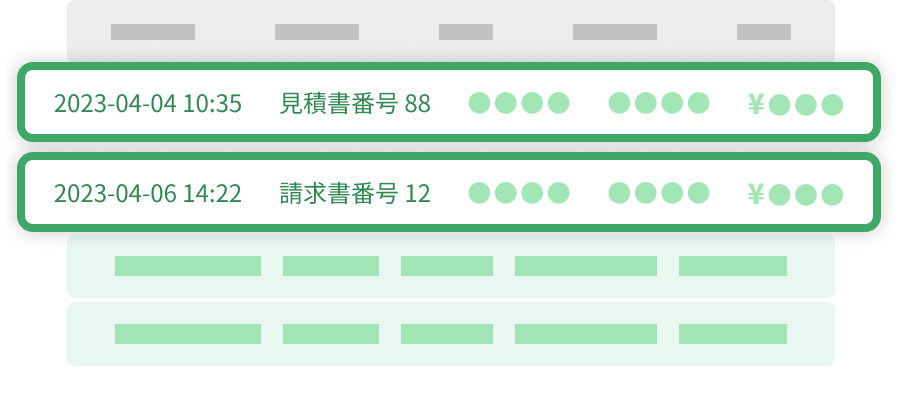
  • View your quotes/invoices

    View your quotes/invoices

  • Consumption tax

    Consumption tax

  • Withholding tax

    Withholding tax

  • View your PDF

    View your PDF

  • Optionally, add your hanko and logo

    Optionally, add your hanko and logo

  • A MakeLeaps generated invoice

    A MakeLeaps generated invoice

  • One click to edit your invoices

    One click to edit your invoices

  • Copy your quotes/invoices

    Copy your quotes/invoices

mobile-support

Full Mobile Support

We support iPhone and iPad. Create, edit and send your invoices on the run, exactly like you would at the office.

This means you could send an invoice by post in Japan on your iPhone, while on holiday in Hawaii.

MakeLeaps gives you freedom to keep on top of your business from anywhere in the world.

send-by-post

Send by Post

Sending an invoice properly in Japan is very time consuming. Click this button in the system, and we’ll do it all for you. Once it’s sent, you get an email notification.

We understand that your invoices are an extension of your company image. It has to be perfect in every way, and we work hard to make you look great.


01_resized102_resized103_resized104_resized105_resized1

For-Send-By-Post1

send-by-email

Send by Email

Sending quotes and invoices to your clients is now super simple. Enter your client’s email addresses once, click send, and you’re done.

You can also customise your email body text, and see a full history list of your emailed invoices.

tags

Organise With Tags

With MakeLeaps, complex invoice and document management is simple.

Just tag your invoices with whatever you want. Then find and manage your tagged invoices. Once you start using it, you’ll wonder how you found your documents without it.

  • Search by tags to find your invoices and groups of invoices

    Search by tags to find your invoices and groups of invoices

  • Add a tag to categorise your invoices

    Add a tag to categorise your invoices

reports

Reports

One of the benefits of using an online system like MakeLeaps is that all the data you create is easily rolled into reports that help you understand your business and make better decisions.

Here are a sample of some of the reports we currently offer:

  • View a complete sales report

    View a complete sales report

  • View a forecast

    View a forecast

  • View an aging report

    View an aging report

  • View a graph of your billings by month

    View a graph of your billings by month

data-export

Data Exporting

It’s not enough just to be able to enter your information. You need to know you can get it back out as well. We offer:

Exporting to:

  • CSV
  • Excel
  • Yayoi Kaikei (beta)
  • Kanjyo Bugyo (beta)
makenotes

Evernote Integration

This integration allows you to manage, search and store all your MakeLeaps quoting and invoicing data in your Evernote account. This feature is available to all MakeLeaps subscription plan users, from Scooter plan and above

history

History

Never wonder what happened to that document again. Simply click on History.

You’ll see a complete list of everything going on in your account. Trace documents and actions with ease.

team

Work With Your Team*

We support multiple team members in MakeLeaps.

If you delegate invoicing to your staff members, you can add them to your MakeLeaps account, enabling you both to see and work with the same quotes and invoices. If you work in a partnerships, or with several other people, it’s just as quick and easy.

You can also add your accountant to your MakeLeaps account so they can work for your company remotely. This saves you both time and effort. It’s even free to add your accountant if they’re a MakeLeaps registered partner.

* Available from subscription plan Car and above

bilingual

Multi-currency/Bilingual UI

MakeLeaps is bilingual and multi-currency. You can use MakeLeaps with a Japanese or English interface. You can also create Japanese or English documents.

For multi-currency, we support:

  • JPY (Default), USD, AUD, BRL, CAD, CHF, EUR, GPB, HKD, KRW, RUB, TWD, THD.

Most of our customers use the same language for both interface and documents, but if you ever need to go global or bill a foreign company, we’re ready when you are!

security

High Security

We treat your data very seriously. Here are some of the ways we protect your data:

  • We use SSL to secure your data, ensuring that all the data transmitted between you and us is encrypted and safe.
  • We utilise high security data centers, with 24 hour monitoring.
  • We use firewalls on our servers to protect against intrusion.
  • We backup your data regularly to our secure servers.
  • We use industry standard security methods and best practices, such as PBKDF2 salted password hashing, secure cookies, CSRF, XSS, SQL injection and clickjacking protection.
invoicing-entrepreneurs

Invoicing for Entrepreneurs

MakeLeaps is an online invoicing system built for entrepreneurs.

Switch between multiple companies, keeping all of your data separate yet easily accessible with our snappy interface.

Sign Up Now

Share this page:

Hatena